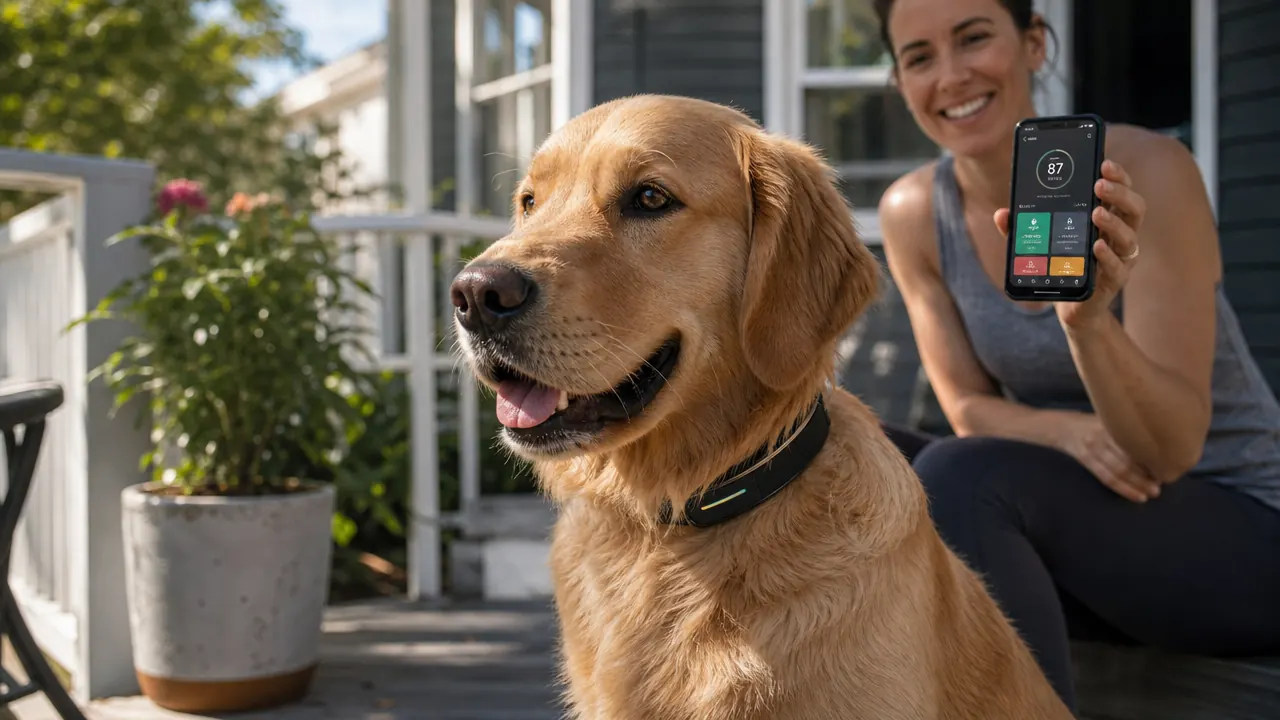
My husky Loki has always been a handful on the leash. But the thing that worried me most was not his pulling. It was the two weeks in a row last fall when he slept more than usual and his walks felt shorter than normal. I almost chalked it up to the season changing. Then I looked at three weeks of data from his smart GPS collar and saw his daily step count had dropped 31 percent compared to his personal baseline. We went to the vet. Turned out he had a mild infection that responded quickly to antibiotics. If I had been eyeballing his behavior instead of reading actual numbers, I probably would have waited another week or two.
That kind of early signal is exactly what a smart GPS collar like the Fi Series 3+ is built to deliver. It is not just a location tracker. It tracks cellular GPS in real time, counts steps, monitors sleep quality, learns your individual dog's patterns, and surfaces deviations you would otherwise miss. The collar ships with 12 months of membership included, so there is no separate subscription bill waiting for you at month two. This guide walks through every step of getting it set up and using it well, from fitting the collar to sharing clean health reports with your veterinarian.
Your dog cannot tell you when something feels off. The Fi Series 3+ can.
Cellular GPS, activity tracking, sleep monitoring, escape alerts, and 12 months of membership included in one collar. Check today's price on Amazon before you start this guide.
Amazon Check Today's Price on Amazon →Step 1: Fit the Collar Correctly Before You Pair Anything
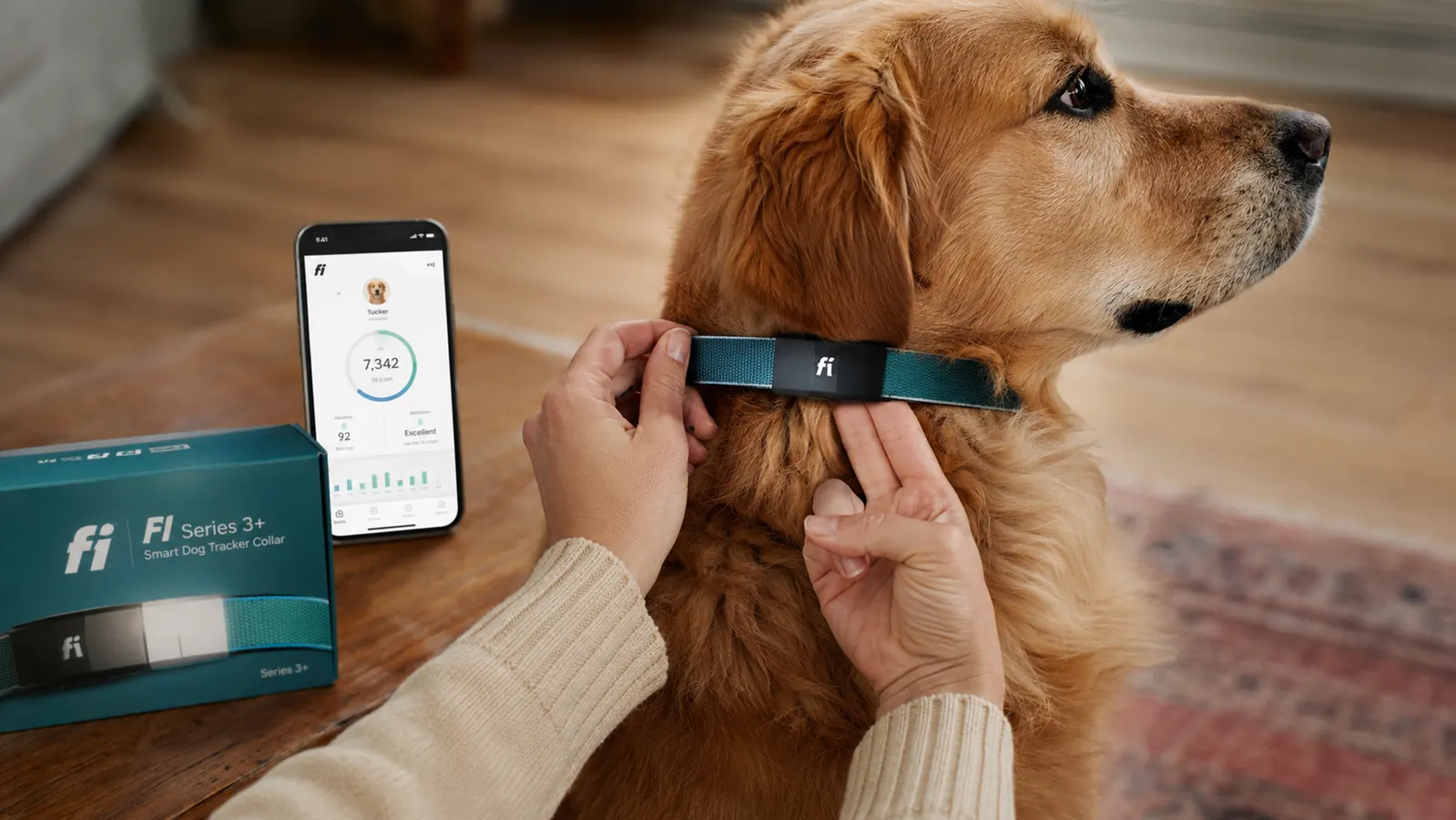
Before you open the app, get the fit right. The Fi Series 3+ uses a flat loop band with a buckle system. The sensor module sits on the top of the collar, flat against the back of your dog's neck when the collar is on. Slide the band through your chosen size ring and buckle it. Then run two fingers flat between the collar and your dog's neck. You should feel light resistance. If you can slip a third finger in easily, cinch it one notch tighter. If you can barely fit two fingers, loosen it one notch.
Fit matters for health accuracy, not just comfort. The step-counting accelerometer needs consistent contact with the neck to register movement reliably. A collar that shifts around because it is too loose will undercount steps on active days and overcount on rest days, which skews the baseline you set in Step 3. Spend three minutes here. It pays off in better data for the entire life of the collar.
Step 2: Pair the Fi Collar with the Fi App on iPhone or Android
Download the Fi app from the App Store or Google Play. Create your account, then tap 'Add Device' and select the Fi Series 3+. The app walks you through a Bluetooth pairing sequence. Hold your phone within six inches of the collar's sensor module and follow the prompts. Once Bluetooth pairing completes, the collar connects to the Fi cellular network automatically. You do not need to configure a SIM or enter a carrier account. The membership included with this SKU activates the cellular GPS tracking plan for the first 12 months with no additional steps.
During setup the app will ask for your dog's profile: name, breed, weight, age, and sex. Fill this out carefully. Fi uses these details to calculate breed-adjusted activity goals and age-weighted sleep expectations. A two-year-old Border Collie at 42 pounds has a very different healthy step target than a seven-year-old Bulldog at 55 pounds. The profile is what makes the health benchmarks mean something rather than defaulting to a generic average.
Step 3: Set Your Dog's Daily Activity Goal by Breed and Age
After the profile is saved, navigate to the Goals section in the app. Fi suggests a starting daily step goal based on breed and age data. For most medium-to-large working or sporting breeds between one and five years old, that opening recommendation lands between 12,000 and 18,000 steps per day. For senior dogs seven and older, the recommendation drops to reflect natural activity decline. For lower-energy breeds like Basset Hounds or Chow Chows, the target will be lower than for high-drive breeds like Huskies or Vizslas.
Accept the suggested goal for the first two weeks without adjusting it. The app needs that baseline data to learn your individual dog's patterns before you start customizing. After two weeks, go back to Goals and look at how your dog has been tracking against the target. If your dog consistently exceeds the goal by 20 percent or more on normal days, raise it. If the goal feels unreachable on rest days, drop it slightly. The target should represent a healthy active day, not a peak performance day.
Step 4: Establish a Sleep Score Baseline for Your Dog
The Fi Series 3+ monitors sleep quality using the same accelerometer that tracks steps. It measures restlessness during sleep periods, total sleep duration, and the ratio of restful sleep to restless periods. After your dog has worn the collar for seven nights, the app generates a sleep score and shows a nightly trend graph.
Your job here is to note what a normal sleep score looks like for your specific dog over those first two weeks. Some dogs naturally score in the low 70s on a 100-point scale and that is their healthy normal. Others settle in the mid-80s. The number matters less than understanding your dog's personal baseline. Write it down or screenshot the two-week average. A drop of 10 or more points sustained over three or more nights is a meaningful signal worth paying attention to, even before you see behavior changes during the day.
A drop of 10 or more sleep score points over three nights is a meaningful signal worth attention, even before daytime behavior changes show up.
Step 5: Set a Geofence Escape Alert for Your Yard or Home Area
The Fi app calls this a Safe Place. Tap the map icon in the bottom navigation bar, then tap your home location and select 'Create Safe Place.' Draw a boundary around your yard by dragging the radius circle or tapping boundary points on the map. The minimum boundary is about 150 feet in diameter. For most suburban yards you will want the boundary set to the property line with a small buffer, so the alert fires when your dog reaches the fence line, not after they are already in the neighbor's yard.
Once the geofence is saved, the app sends a push notification any time your dog exits the boundary. Because the Fi Series 3+ uses cellular GPS rather than Bluetooth or radio frequency, the location update does not depend on your phone being nearby. You will get the escape alert whether you are home or across town. If your dog is at a boarding facility, dog park, or friend's house, you can add temporary Safe Places so alerts are suppressed while they are supposed to be there.
Step 6: Read the Weekly Insights Report Every Monday
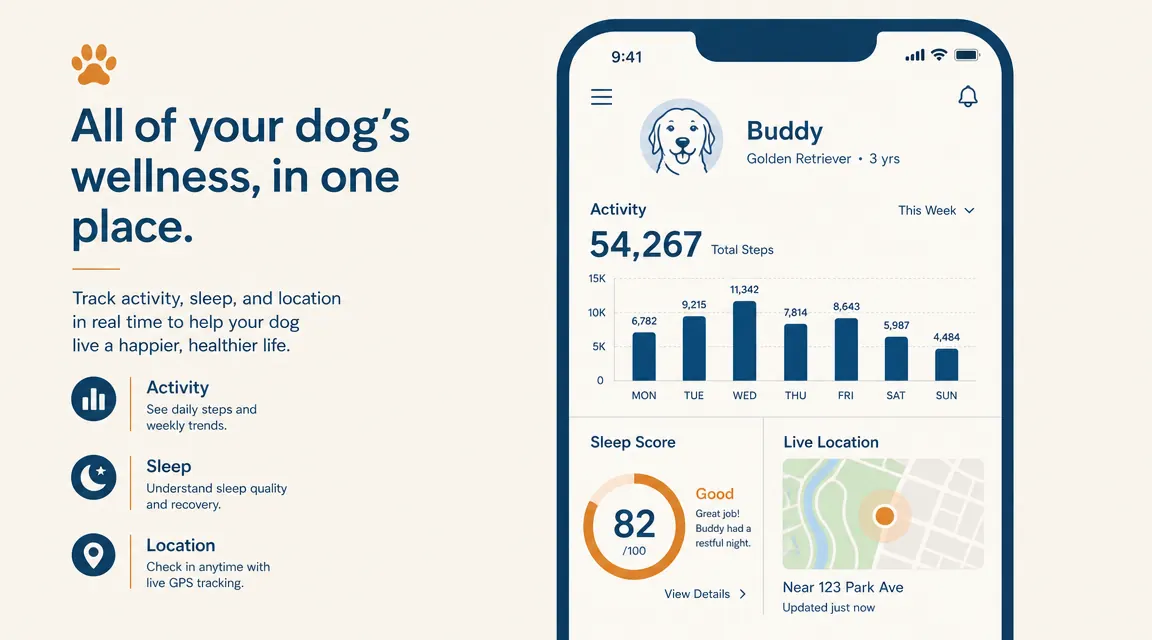
The Fi app generates a Weekly Summary every Monday morning. It covers total steps for the week, average daily steps versus your dog's goal, sleep score trend, number of nights with elevated restlessness, and any anomalies flagged by Fi's algorithm. Spend two to three minutes reading it before you start your week. This is where you catch gradual trends that are easy to miss day to day.
Look specifically at three numbers: the week-over-week step change, the sleep score average versus the prior week, and the 30-day trend line if it is visible in your app version. A single bad week after a holiday or travel is not a red flag. Two consecutive weeks of declining activity with a falling sleep score is worth a vet conversation. The summary makes that pattern visible in a few seconds instead of requiring you to mentally reconstruct the past two weeks from memory.
Step 7: Share Your Dog's Health Data with Your Veterinarian
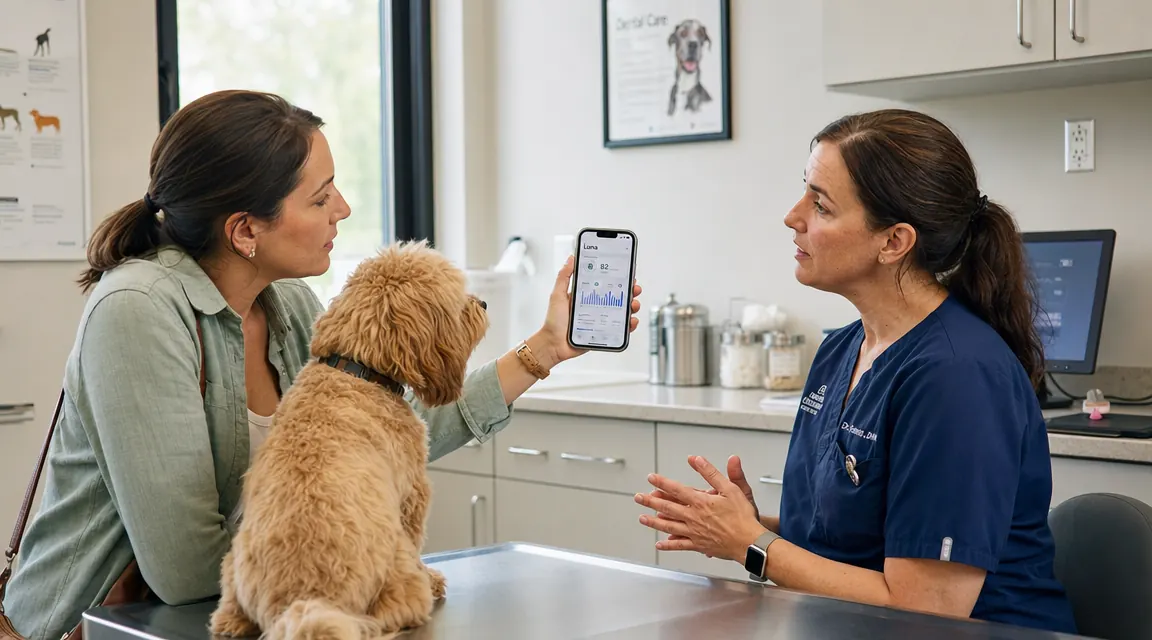
The Fi app allows you to export a PDF health report that includes activity trends, sleep data, and GPS location history for any date range you select. Go to your dog's profile, tap Health, then tap the share icon in the upper right corner. Select 'Export Report' and choose your date range. A 30-day report is usually the most useful for a routine wellness visit. A 7-day report works better when you are going in for a specific concern.
Share the PDF with your vet before or during the appointment. Many veterinarians are now familiar with Fi data and can interpret the activity and sleep graphs in the context of a physical exam. If your vet has not seen Fi reports before, a quick explanation takes 30 seconds: step count is the movement metric, sleep score is restfulness on a 100-point scale, and the trend lines show direction over time. What you are providing is objective data that the vet cannot get from a five-minute exam, and it helps them make better-informed decisions about diagnostics and treatment.
Step 8: Know When to Act on a Drop in Activity or Sleep Score
Not every dip in the data requires a vet visit. Dogs have off days, just like people. A single low-step day after a rainy morning or a late-night thunderstorm is not meaningful. What matters is the pattern. Here is a practical framework for deciding when to call the vet versus when to wait and watch.
Call your vet if you see two or more of these at once: step count drops 25 percent or more below baseline for three consecutive days, sleep score drops 10 or more points for three or more nights in a row, the app flags elevated restlessness on multiple nights without an obvious explanation like a new environment, or your dog shows any physical symptoms like reduced appetite, limping, or vomiting alongside the data drop. Wait and monitor if you see a single metric slip for one or two days without supporting symptoms, especially if there is a clear lifestyle explanation like a missed walk day or houseguests disrupting the dog's schedule. The value of the Fi data is that it removes guesswork. You stop asking yourself whether your dog is acting differently and start reading an actual record.
What Else Helps You Get the Most from the Fi Series 3+
A few habits make the data more useful over time. Charge the collar on the same night every week so the battery never dies mid-day and creates gaps in the step record. If you have multiple dogs, each one needs their own collar and their own profile. Averaging two dogs' activity onto one device makes both data sets meaningless. When your dog stays overnight at a boarding facility, add a temporary Safe Place before drop-off so you still see GPS location history without escape alerts firing every time the staff takes the pack into the yard.
Also keep the collar on 24 hours a day, not just during walks. The sleep monitoring only works when the collar is on at night. And the step data is only complete when the collar captures the whole day, including backyard zoomies, indoor pacing, and the inevitable hallway sprint when someone walks past the front door. Dogs move more than their owners realize, and the full-day picture is often the most surprising part of reading the weekly report for the first time.
Eight steps from box to meaningful health data. The membership is already included.
The Fi Series 3+ covers cellular GPS tracking, daily activity monitoring, sleep scoring, escape alerts, and 12 months of membership in one purchase. Check today's price and see if it is in stock.
Amazon Check Today's Price on Amazon →