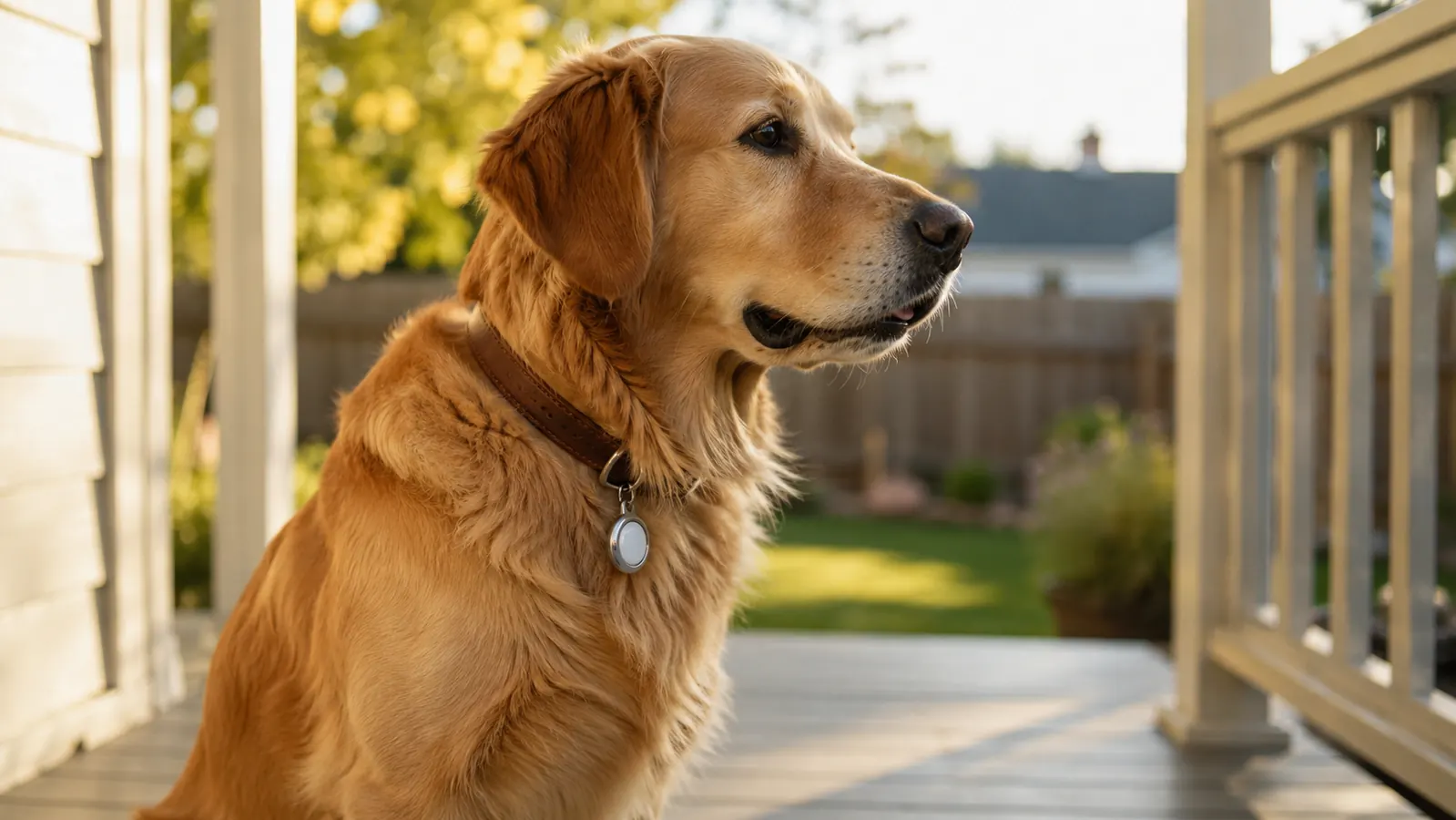
My neighbor called me on a Tuesday evening, voice tight, saying her dog Biscuit had squeezed under a gap in the fence. She had walked the block three times. Biscuit is a four-year-old beagle, and beagles run on nose-first autopilot once a scent catches them. She found him forty minutes later, two streets over, sitting in front of someone's grill. He was fine. She was not fine. The next morning she asked me what she should put on his collar. I told her about AirTag, and I also told her what it can and cannot do, because that matters just as much as knowing how to set it up.
Apple AirTag is a Bluetooth tracker, not a live GPS collar. It does not broadcast your dog's location in real time. It relies on the Find My network, which means it can only update its reported location when an Apple device owned by someone else passes within Bluetooth range of it and anonymously relays the signal to Apple's servers. In a dense suburb, that might happen every few minutes. On a remote trail, it might not happen for hours. Understanding that distinction before you buy is the single most important piece of advice I can give you. With that said, AirTag is still one of the most useful things you can put on a dog collar, and setting it up correctly makes a real difference.
Already lost too much sleep worrying about a gap in the fence? The AirTag 4-Pack means one for the collar, and extras for the bag, the car, and whatever else wanders off.
The Apple AirTag (2nd Generation) 4-Pack is the most cost-effective way to buy in. No subscription, no monthly fee, and the second-generation model has improved separation alerts.
Amazon Check Today's Price on Amazon →Step 1: Choose a Collar Holder Before You Buy the AirTag
AirTag is a disc, not a tag. It is 31.9mm across and 8mm thick, which is roughly the size of a large shirt button, and it has no built-in loop or attachment point. Apple sells leather and polyurethane holders designed for bags and keys. For a dog collar you want something purpose-built: a silicone loop holder that threads directly onto a flat collar, or a stainless steel carabiner-style case if you prefer metal. Look for holders rated IP67 or higher, since your dog will drag that collar through puddles and wet grass. Silicone holders in the $8-$15 range on Amazon work well for most dogs. For large dogs, get a holder that clamps the AirTag snugly rather than one that rattles, because a loose AirTag is an invitation for the dog to investigate it with their mouth.
One thing to check: the holder you choose should not add so much bulk that it slides off a flat collar. For narrow cat or small-dog collars, a breakaway-style loop that attaches to an O-ring is often a better fit than a loop that threads through the collar itself. Get the holder sorted before you activate the AirTag, because you cannot easily re-pair it to a different Apple ID once you have started the setup process.
Step 2: Pair the AirTag to Your iPhone in the Find My App
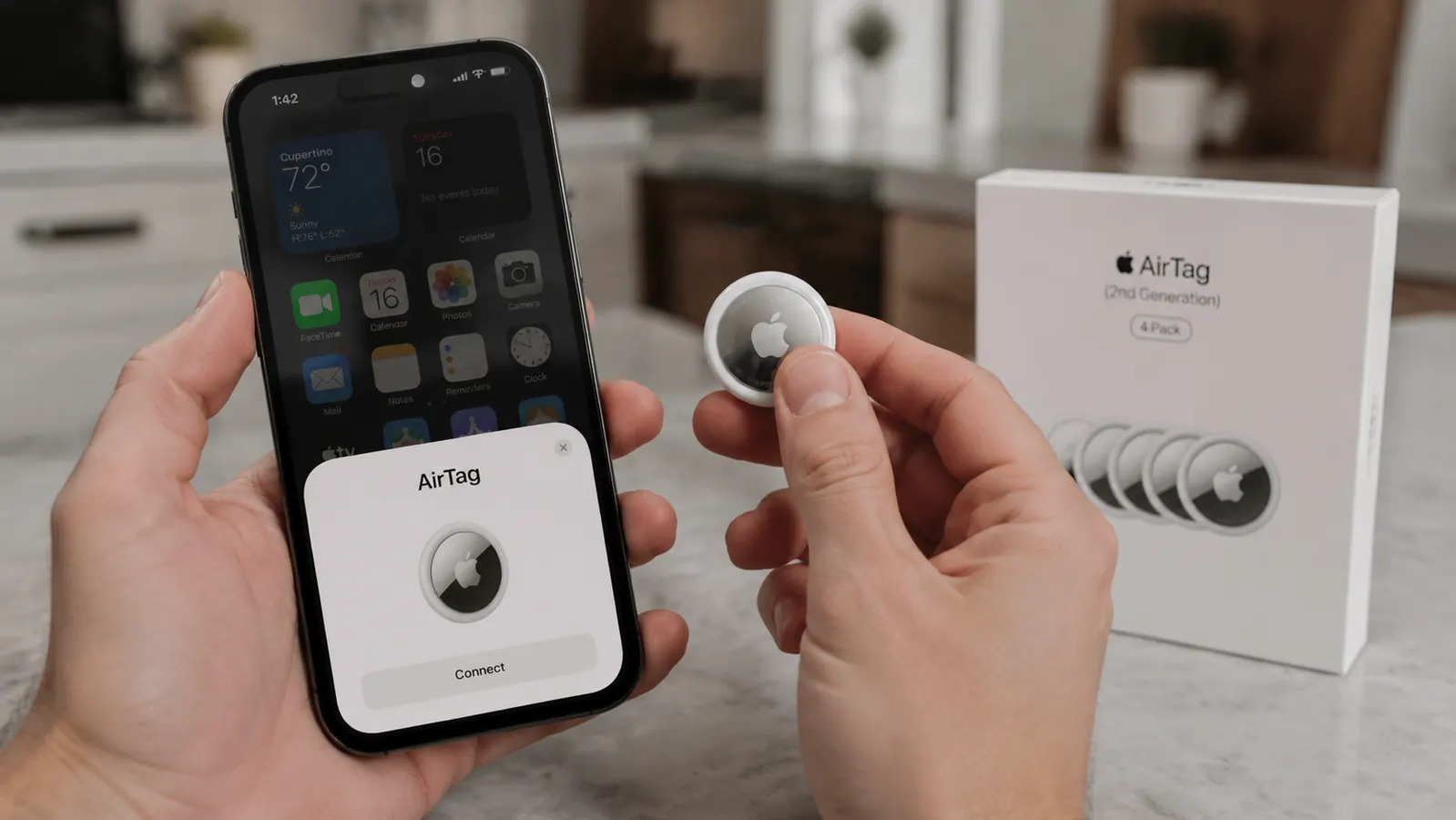
Pull the plastic tab out of the AirTag (it ships with a tab blocking the battery to preserve shelf life). You will hear a chime. Hold the AirTag close to your unlocked iPhone, within a few inches. A setup card should pop up automatically within a few seconds. If it does not, open the Find My app, tap the Items tab, and tap the plus icon in the upper right corner to add an item manually. The process takes about 90 seconds total.
When prompted, give the AirTag a name. Name it something descriptive: the dog's name plus 'collar', such as 'Biscuit collar'. This name shows up in Lost Mode notifications and on the map, and it helps if you have multiple AirTags in the household. You will also be asked to choose an emoji icon. That is just a visual label, not functionally important. Once setup is complete, the AirTag registers to your Apple ID and appears in your Find My Items list. Important: the AirTag can only be registered to one Apple ID at a time. If you need to transfer it to another family member's account, you have to reset it first.
Step 3: Attach the AirTag to Your Dog's Collar
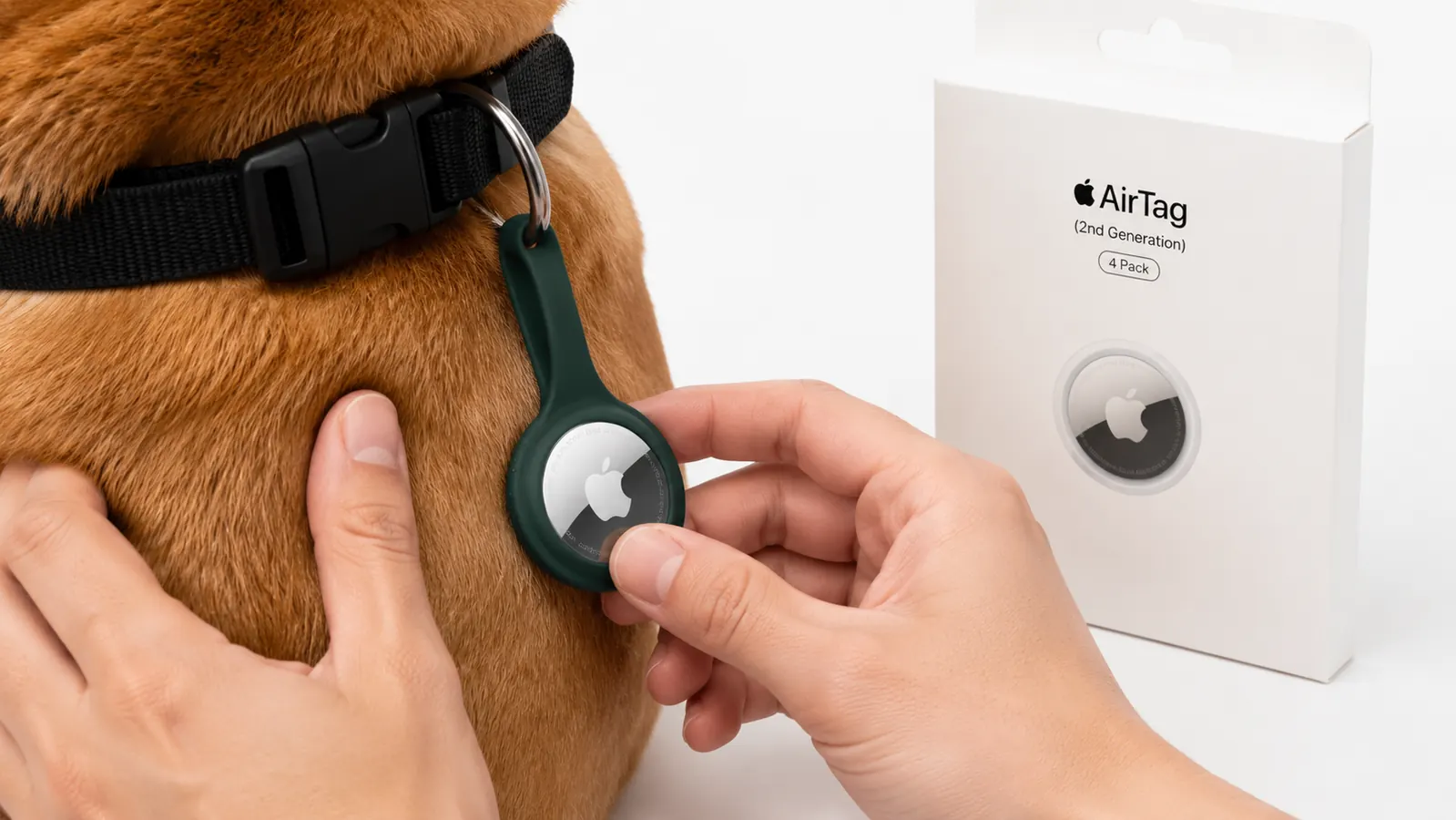
Snap the AirTag into the holder with the Apple logo facing out if your holder is the loop-through style. Thread the holder onto the collar before putting the collar on your dog, or clip it to an existing O-ring if your collar has one. Give the holder a firm tug to confirm it is seated. For dogs that are heavy chewers or that roughhouse with other dogs, consider threading the loop through twice if the holder allows it, or use a metal case rather than silicone.
One practical note on weight: the AirTag itself is 11 grams, and most holders add another 8-12 grams. That is about the weight of a couple of quarters. For dogs over 15 pounds, this is genuinely negligible. For very small dogs or cats, check that the total tag-plus-holder weight is less than 5% of the animal's body weight, which is the general guideline for collar accessories. Most cats and dogs above 10 pounds will handle it fine.
Step 4: Test the Alert and Precision Finding
Once the AirTag is on the collar, open Find My on your iPhone, go to Items, and tap the AirTag you just named. You should see an option to Play Sound. Tap it. The AirTag will emit a chirping tone from its built-in speaker. This is your immediate-area finder: if the dog is somewhere in the house or yard and your phone says the AirTag was last seen nearby, use Play Sound to narrow it down. Walk toward the sound and you will find the collar.
If you have an iPhone 15 or later (or the iPhone 14 Pro or 14 Pro Max with the right iOS version), you also get Precision Finding, which uses the U1 ultra-wideband chip to give you a directional arrow and distance readout on screen, similar to a compass pointing you toward the tag. This works when you are within roughly 30 feet of the AirTag and it is connected to your phone directly via Bluetooth. Walk toward the arrow and the distance ticks down in real time. It is genuinely useful when the AirTag is in a neighbor's yard or behind dense shrubs. On older iPhones, you get the sound option but not the directional arrow.
Step 5: Turn On Lost Mode Before Your Dog Is Ever Lost
Lost Mode is how AirTag shifts from a proximity tool to a community-find tool. In the Find My app, tap your AirTag, scroll down, and tap Enable under Lost Mode. You will be asked to enter a phone number and an optional message, for example: 'This is Biscuit's tag. If you found this collar, please call 555-0142.' When Lost Mode is active and a stranger's iPhone passes within Bluetooth range of the AirTag, your phone gets a notification with the approximate location where that iPhone detected it. You can turn Lost Mode on and off as needed, but I recommend setting it up now and practicing the flow so you are not fumbling with it during an actual emergency.
A few things worth knowing about Lost Mode: the location updates are not real-time. You will see the location where the AirTag was last anonymously detected by any Apple device. In a neighborhood with a lot of iPhone users, those updates might come every few minutes. In a rural area with sparse traffic, you might wait an hour between pings. Also, Android users cannot trigger a Find My location update for your AirTag. Only Apple devices participate in the Find My network. This is not a knock on AirTag, just a factual limit that matters depending on where you live.
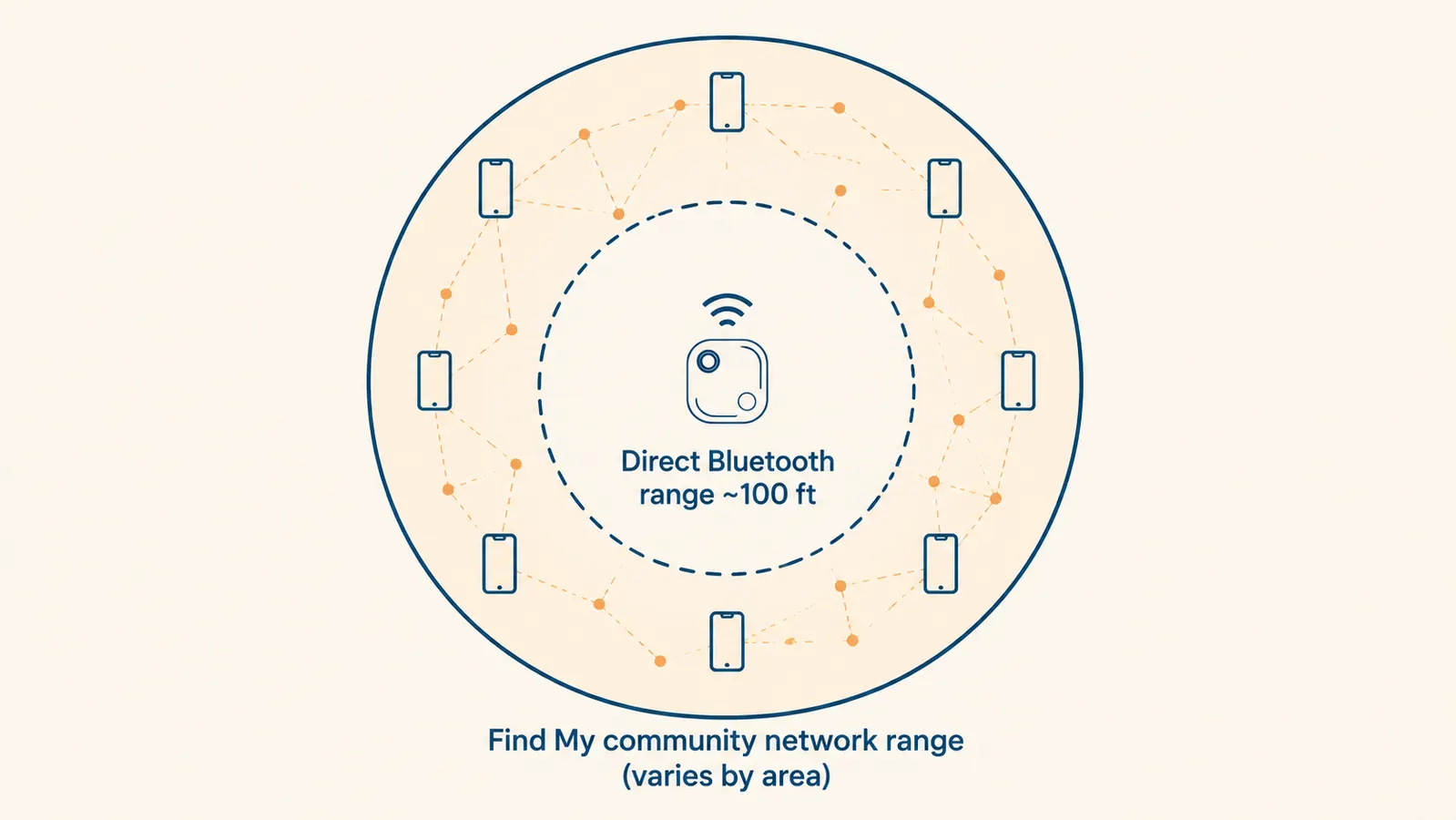
AirTag does not track your dog. It helps strangers who pass by your dog invisibly relay a location back to you. The denser your neighborhood's Apple device population, the more useful it becomes.
Step 6: Understand How Find My Community Detection Actually Works
This is the step most guides skip, and it is the one that sets realistic expectations. When your dog slips out and goes somewhere outside Bluetooth range of your phone, the AirTag goes silent from your perspective until another Apple device comes near it. That device, without its owner ever knowing, anonymously pings the AirTag's location to Apple's servers, which then push a notification to your Find My app. The whole chain is end-to-end encrypted: the person whose iPhone relayed the signal has no idea it happened, and Apple cannot read the location data.
In practical terms: in a busy suburb with houses close together, your dog is rarely more than one or two iPhone widths away from an update. In a park or on a hiking trail in a rural county, you may get nothing for hours. If you hike with your dog regularly in areas with poor coverage, an AirTag alone is not sufficient. For that use case, a cellular GPS tracker with its own radio is the better tool. But for most suburban and urban pet owners whose dogs might bolt out a front door or wiggle under a fence, AirTag's community network is surprisingly effective.
Step 7: Daily Wear and Collar Care
AirTag is rated IP67, which means it can handle a submersion of up to one meter for thirty minutes. Rain, a splash in the lake, or a run through a sprinkler will not hurt it. Salt water is the one exception: rinse the tag and holder with fresh water after a beach visit, because salt corrodes the seam over time. Check the holder monthly to make sure it has not cracked or loosened. Silicone holders can stretch slightly over time, and a tag that rattles is a tag that might eventually fall out.
You also do not need to do anything on a daily basis to keep the AirTag active. There is no app to open, no connection to maintain, and no subscription to manage. The AirTag broadcasts a Bluetooth signal constantly in the background. Your phone will show the last known location automatically in Find My. The only maintenance is the battery, which brings us to the last step.
Step 8: Replace the Battery When the Time Comes
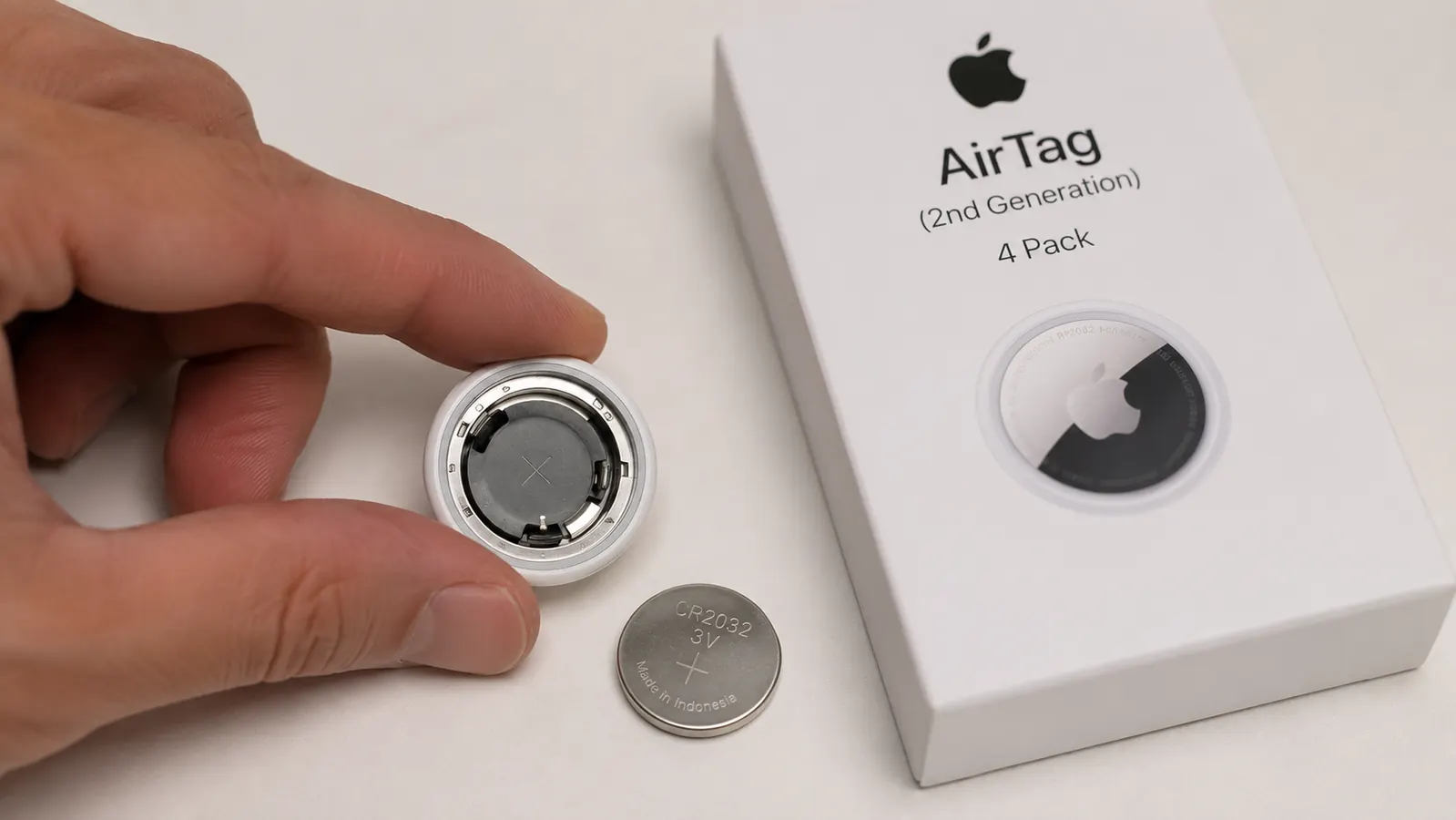
AirTag uses a standard CR2032 lithium coin battery. Apple says the battery lasts about one year with normal use. Your iPhone will send you a low-battery notification in the Find My app well before the battery dies, usually when it has a few weeks of life remaining. To replace it, hold the AirTag with the stainless steel side facing up. Press down and rotate the cover counter-clockwise until it releases, like the cap on a child-proof medicine bottle. Pop out the old battery, drop in a fresh CR2032 positive-side up, press the cover back on, and rotate clockwise until you feel it click. The AirTag will chime to confirm the battery is seated correctly.
CR2032 batteries cost almost nothing, around $1-$2 each if you buy a multipack. Panasonic and Energizer both make reliable ones. Avoid cheap no-brand batteries; a few users have reported that some off-brand CR2032 cells have a slightly different thickness that prevents the AirTag cover from seating properly. Stick to a name-brand cell and you will have no issues. With a fresh battery installed, your AirTag is good for another year.
What Else Helps
AirTag works best as one layer in a system, not as the only layer. Pair it with a collar that has your phone number stitched or engraved directly on it, because the fastest recovery is always the neighbor who spots the dog and reads the tag with their eyes, no app required. If your dog is a known escape artist or you spend time in rural areas with sparse iPhone coverage, it is worth reading our full review of AirTag as a pet tracker and then comparing it against a cellular GPS option to see which fits your situation better. For most urban and suburban pet owners, though, AirTag plus a good collar holder plus a current ID tag is a practical, low-friction setup that costs nothing month after month.
If you have other pets in the household, the 4-Pack pricing makes it easy to put one on every animal. My own setup has Loki's tag on his harness and a spare in the car kit. The remaining two went on my sister's cats, who are indoor-outdoor and have a habit of disappearing into the drainage culvert behind her yard. Three months in, no dramatic recoveries, which is exactly the outcome we were hoping for.
If your dog ever slips out, you want this already on the collar, not still in the box.
The Apple AirTag (2nd Generation) 4-Pack gives you one for each pet plus a couple extras. No subscription, no app to manage daily, and it pairs to any iPhone in about 90 seconds.
Amazon Check Today's Price on Amazon →