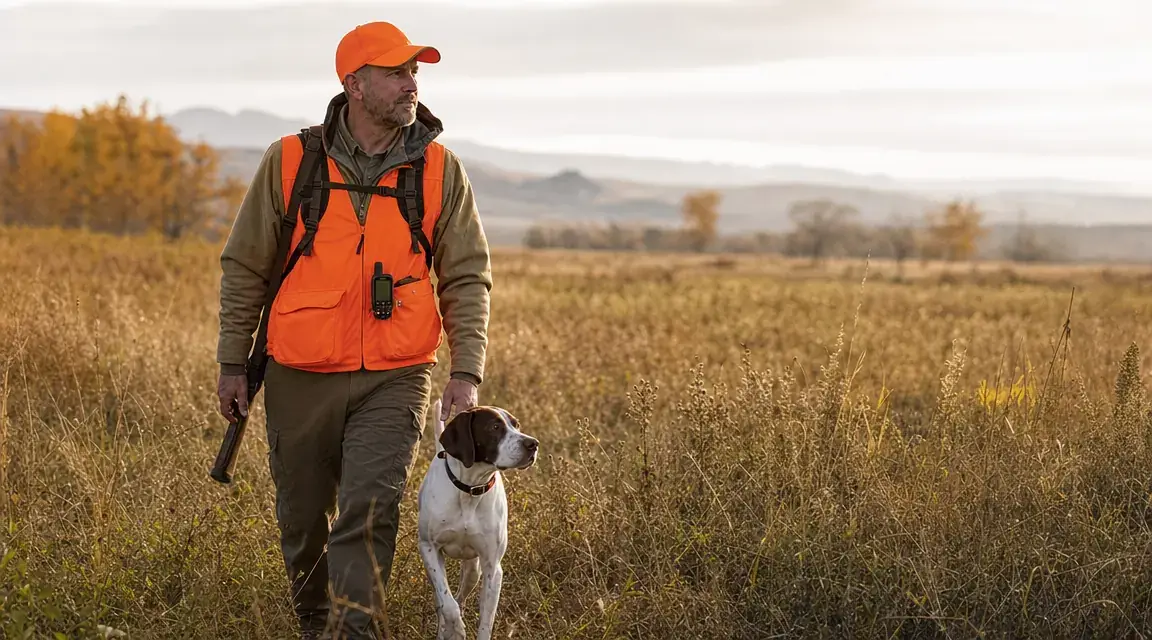
The property line where cell service ends is exactly where your bird dog decides to run hardest. I learned that hunting national forest in northern Wisconsin with my German Shorthair, Cleo. She went on point 600 yards into the timber and I had no idea where she was because my phone said "No Service" and my cellular tracker had gone dark. That was the last season I ran a cellular tracker in the field.
The Garmin Alpha T 20 GPS Dog Tracking Collar works on direct radio frequency between the collar and the handheld controller, not cellular towers. There is no monthly subscription, no need for a phone, and no dead zones as long as you are within radio range. If you run hunting or sporting dogs in areas with spotty or zero cell coverage, this is the system the serious hunting dog community has converged on. This guide walks you through everything from picking the right collar fit to tracking a four-dog pack in thick timber.
Your cellular tracker will go silent the moment you need it most. The Alpha T 20 does not.
The Garmin Alpha T 20 uses direct radio GPS, not cellular. No dead zones, no monthly fee, no phone required. Check current pricing and availability on Amazon.
Amazon Check Today's Price on Amazon →What You Need Before You Start
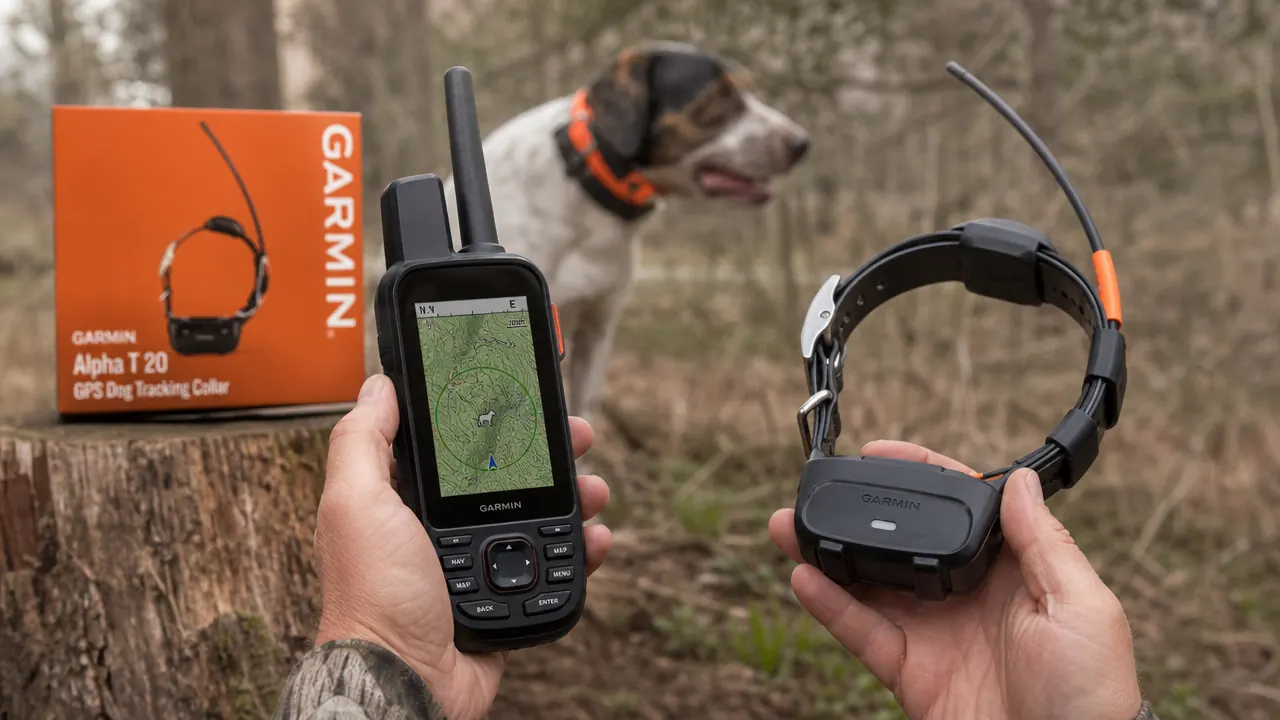
The Garmin Alpha T 20 collar is one piece of a two-piece system. The collar attaches to your dog and contains the GPS receiver. The Garmin Alpha handheld controller (sold separately, or bundled depending on the listing) is what you carry in your hand or clip to your vest. The handheld is required. There is no smartphone app that replaces it. The collar communicates with the handheld using Garmin's proprietary radio frequency at 915 MHz, which is why it functions where cellular cannot.
Before your first setup session you will need: the T 20 collar with charging cradle, the Garmin Alpha handheld unit, both devices fully charged, and about 20 minutes in a place with a clear view of open sky. GPS acquisition is faster outdoors. Running setup inside a garage or building slows the process.
Step 1: Choose the Right Collar Fit for Your Breed
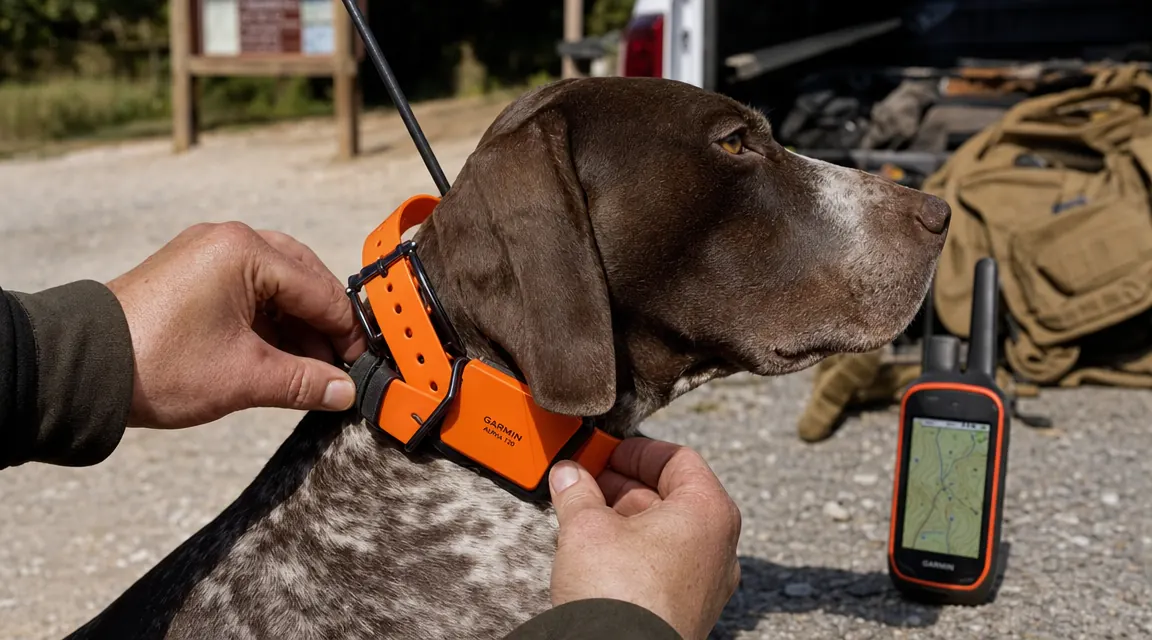
The T 20 collar strap adjusts to fit most hunting breeds. For a pointer, Vizsla, or medium setter running 45 to 60 pounds, the collar sits comfortably on the middle holes of the strap. For larger breeds, English Setters, or Weimaraners in the 65 to 80 pound range, you will typically use the wider end of the adjustment. The general rule is two fingers of clearance between the collar and the dog's neck. Snug enough that it cannot rotate freely, loose enough that it is not pressing on the trachea.
The GPS antenna is housed in a small bump on top of the collar unit. Position the collar so that bump sits on top of the dog's neck, not on the side or underneath. The antenna needs a line of sight toward the sky to acquire satellites quickly. Most experienced handlers mark a small spot on their dog's collar strap with a permanent marker so they can orient it correctly every time they put it on in the dark at 5 a.m.
Check that the collar does not shift when the dog shakes or rolls. A collar that rotates will put the antenna face-down and cause intermittent tracking dropout, which looks like the dog stopped moving on your screen when he actually just went through a creek crossing.
Step 2: Pair the Collar to the Handheld Controller
Power on both the T 20 collar and the Alpha handheld. On the handheld, navigate to the dog tracking menu and select Add Dog. The handheld will search for nearby collars. When the T 20 collar appears in the list, select it and confirm the pairing. The process typically takes under two minutes on the first attempt.
Once paired, you will see your dog's name and a signal strength indicator appear on the handheld's main tracking screen. The collar stores the pairing in memory, so you only need to do this once per collar. Future sessions require only that both devices are powered on within range of each other and they will reconnect automatically.
If you run multiple dogs, pair each collar individually using the same Add Dog process. The handheld can track up to 20 dogs at once on the same screen. Each dog gets a unique icon on the map so you can tell them apart at a glance. Assign each dog's icon in the settings menu before you head out so you are not squinting at the screen when they split up in a cornfield.
Step 3: Set Your Dog's Position on the Map
Once paired, stand outside with your dog beside you for two to three minutes. The handheld will acquire satellite lock and your dog's icon will appear on the topographic map. The T 20 collar uses GPS and GLONASS satellites together, which speeds up initial lock in heavy cover conditions. You should see your dog's position update on the map every few seconds.
The handheld map shows your position and your dog's position simultaneously with a line between you indicating heading and distance. At this stage, walk 50 yards away from your dog while a hunting partner holds him. Watch the map update your relative positions in real time. This is your baseline confirmation that the system is working before you release the dog into the field.
The handheld shows your position and the dog's position on the same topo map, with direction and distance updating in real time. No cell signal needed, no app required, no monthly bill.
Step 4: Configure Range Alerts
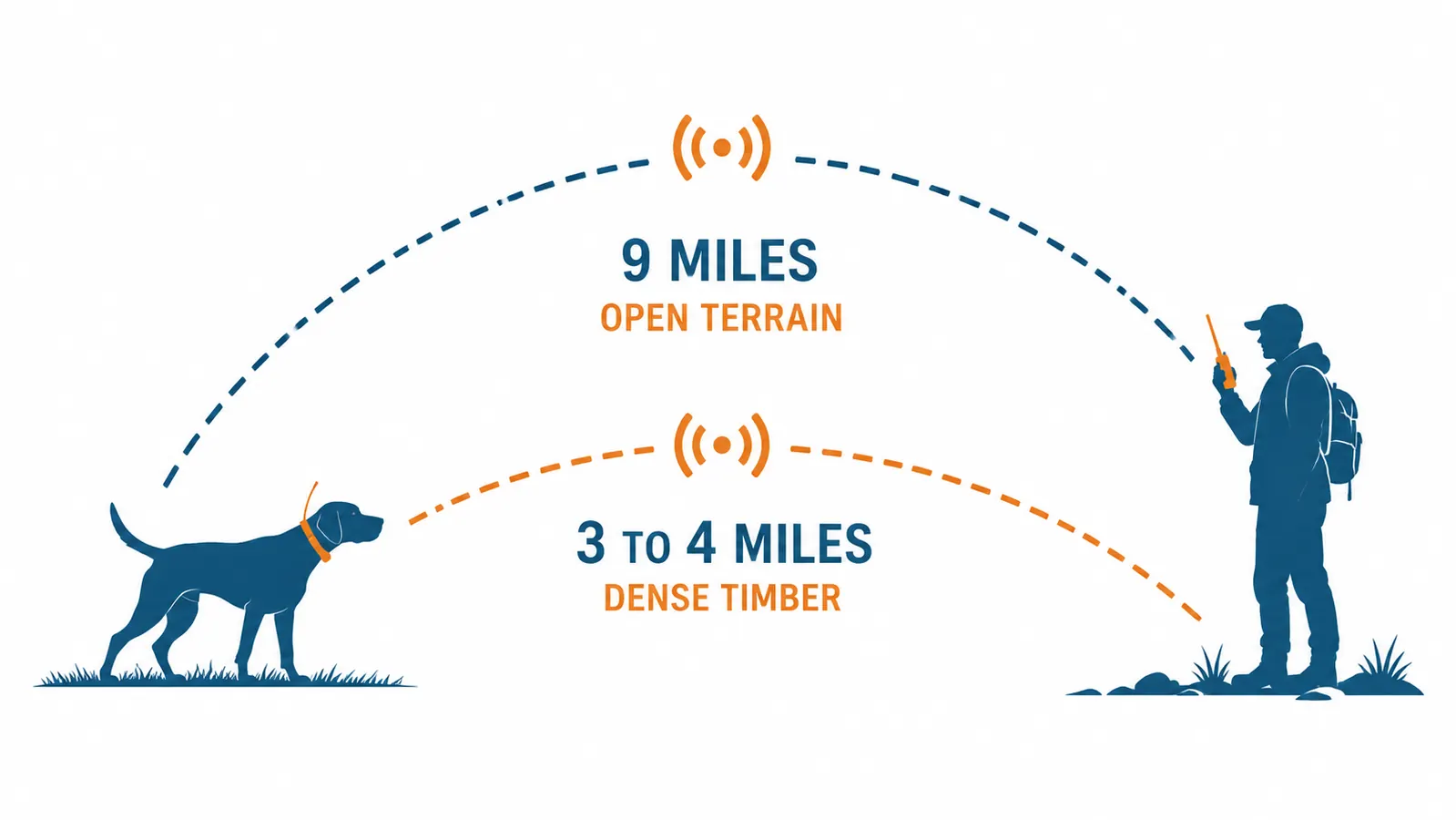
Range alerts notify you when your dog exceeds a distance threshold. On the handheld, navigate to each dog's settings and find the Distance Alert option. The T 20's radio range is approximately nine miles in open terrain and three to four miles in dense timber. Setting an alert at one mile is a reasonable starting point for upland hunting in mixed cover. This means the handheld buzzes or beeps when your dog gets that far out, giving you time to call or redirect before they are truly running.
For waterfowl or swamp hunting where you want your dog tight, consider a 400-yard alert. For open prairie pheasant hunting where a flushing dog may naturally range out, 600 to 800 yards is more practical. The alerts are adjustable per dog, so if you run a close-working flusher and a wide-ranging pointer in the same session, you can set each one differently.
There is also a stationary alert that triggers if the dog has not moved for a set number of minutes. This is useful for detecting a dog that has gone on point, a dog that is stuck in a fence line, or, in a worst-case scenario, a dog that is injured and down. I keep mine set to four minutes, which is enough to distinguish a solid point from an actual problem.
Step 5: Track Multiple Dogs at Once
The handheld's map view shows all paired dogs simultaneously. Each dog's icon shows in a different color and, when you tap a dog's name in the sidebar, the screen centers on that dog and shows heading, speed, distance from you, and last update time. In a four-dog brace, the screen gets busy, but Garmin's interface is designed for exactly this use case. The maps are preloaded topographic maps that show terrain contours, water features, and trails even when you have no data connection.
A critical habit: when one dog goes out of radio range, the handheld shows the last known position on the map along with a timestamp. This is your starting point for a recovery walk. Head toward that last known position and the signal will come back when you get within range again. Most hunters have recovered dogs by walking toward the last-known dot rather than calling and walking blind. The track log records breadcrumb history so you can also see the path the dog took before signal was lost.
Step 6: Daily Care and Charging
The T 20 collar battery runs approximately 20 hours in standard tracking mode. Charge the collar the night before every hunt using the included cradle and USB cable. A full charge takes about two hours from empty. Do not leave the collar charging on the tailgate in freezing temperatures overnight. Lithium batteries lose capacity faster when charged from cold. Charge indoors, then transport to the field.
The collar is rated to IPX7, which means it can be submerged in up to one meter of water for 30 minutes. This covers creek crossings and swimming retrieves without issue. After a muddy hunt, rinse the collar body with fresh water and let it dry before recharging. Mud packed into the charging contacts is the most common reason hunters report slow or failed charging on hunting dog trackers.
The handheld has its own battery, separate from the collar. Charge it independently. In cold weather, battery life on both devices shortens. A good field habit is to carry a small USB power bank in your vest pocket for the handheld if you are running a full-day hunt in sub-freezing temperatures. The collar battery tolerates cold better than the handheld screen does.
What to Do If a Collar Goes Out of Range
When a dog exceeds radio range, the handheld keeps the last known position on the map. Note the time of the last update shown on screen, which tells you how long the dog has been out of contact. Move toward that last known position steadily. As you close distance, the signal will return and the icon will update. Avoid standing still and waiting. Radio range is directional and terrain-dependent, so movement toward the dog is almost always the right call.
If you are on the edge of a ridge or in a deep creek bottom, climbing to higher ground by 30 to 50 feet often restores contact. Dense wet timber absorbs radio signal more than dry timber. In wet conditions, expect effective range to drop by 30 to 40 percent compared to a dry summer day. Factor this into how far you let your dogs range before you feel comfortable.
A dog that has been pointing for 15 minutes without moving and is then out of range likely went down in the cover. Blow the recall whistle and move toward the last known dot before assuming the worst. Most lost-dog recoveries with this system happen within five minutes of arriving at the last known GPS coordinate.
Honest Notes on What This System Is and Is Not
The Garmin Alpha T 20 is a collar only. You need the Alpha handheld controller to use it. That is a real upfront cost, and there is no workaround. There is no smartphone app that replaces the handheld, and that is intentional on Garmin's part. The radio frequency system that makes this work off-grid requires the dedicated hardware. If you want to track a dog from your phone, you want a cellular tracker like Tractive. If you want to track a dog where there is no cell signal, the Alpha system is the only serious option in the consumer market.
There is no monthly fee after you buy the hardware. The system does not need a data plan. It does not need a Wi-Fi connection. It does not need your phone at all. The collar and the handheld talk directly to each other via radio. That simplicity is the whole point. You walk into a national forest with no cell service and the system works exactly the same as it does in your backyard.
The one honest drawback is weight. The T 20 collar unit is heavier than a standard hunting collar. For dogs under 30 pounds it can feel substantial. For a 55-pound pointer running hard through August cover, it sits well and most dogs adjust within a hunt or two. I noticed Cleo was aware of it the first weekend and stopped noticing it by the third.
If your hunting areas have no cell signal, the Alpha T 20 is the setup serious hunters use.
Direct radio GPS between collar and handheld. No cellular plan. No monthly fee. Tracks up to 20 dogs at once. Check the current price and reviews on Amazon before your next hunt.
Amazon Check Today's Price on Amazon →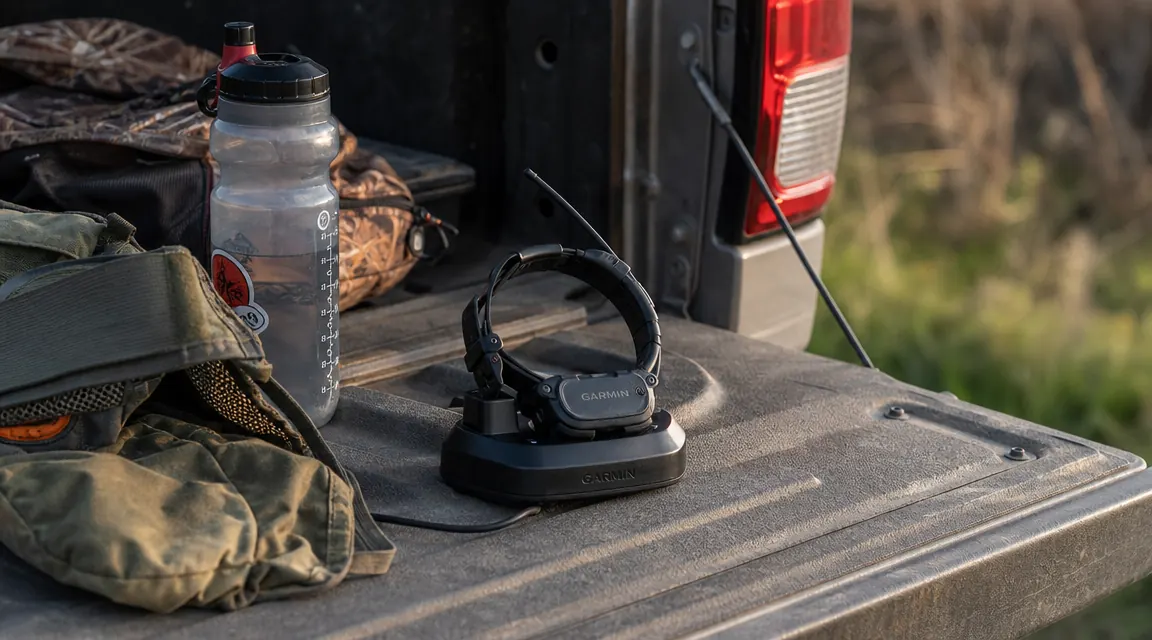
What Else Helps
A GPS tracker does not replace a good recall. Train your dog to reliably come to a whistle or e-collar command before you rely on technology to find them. The tracker tells you where your dog is, but you still need a way to call them back. Running an e-collar system alongside the GPS collar is common practice among serious upland hunters, and the Garmin ecosystem supports pairing e-collar and GPS collar functions in their higher-end handhelds.
Mark your trailhead or truck as a waypoint on the handheld at the start of every hunt. If you ever get turned around in the timber following a dog, you can navigate back to your vehicle using the saved waypoint. The Alpha handhelds support full navigation features beyond just dog tracking, and this simple habit takes 10 seconds but has saved hunters real time in unfamiliar country.
Finally, fit-test the collar at home on a day when you are not rushing to get to the field before first light. Walk your dog around the yard for 20 minutes with the collar on and watch the tracking update on the handheld. Make sure the signal is consistent, the collar stays oriented correctly, and the dog moves naturally. A little prep time at home means you walk into the woods with a system you trust.
For more on why hunting dogs specifically need a dedicated GPS collar rather than a cellular tracker, see our comparison of the Garmin Alpha T 20 in a full field review and our breakdown of 10 reasons hunting dogs need a dedicated off-grid GPS collar.